
Evernote

Email this post Print this post
By Barry Ritholtz - June 21st, 2009, 1:00PM

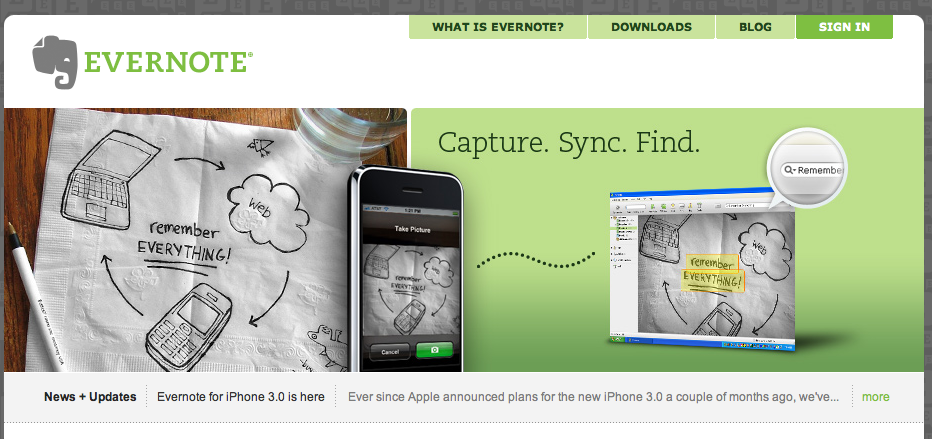
evernote Evernote is an interesting web app that allows you to grab all manner of media, files, webpages, etc. I am thinking of playing with it, as I am constantly finding little things I want to recall or save for future posting, but then forget about. Can anyone share any insights as to how well this works? Here’s their intro:

Evernote allows you to easily capture information in any environment using whatever device or platform you find most convenient, and makes this information accessible and searchable at any time, from anywhere. Did we mention that it’s free?

http://www.evernote.com/

17 Responses to “Evernote”

  1. beth1708 Says:

    I love evernote :-) Also, they have a paid version, which gives you more notes & more downloads — which imho, is well worth the money.

  2. beth1708 Says:

    And to answer your question — one of the main things I use it for is to grab web clippings. I see something interesting, select the text or the page, hit the firefox web clipper, put it in the appropriate notebook with the appropriate tags — and I have it tucked away in my stash.

    I also use it to keep notes for myself, for which it works well too.

    Beth

  3. deep Says:

    Evernote is a great app and indispensable to me. I’ve used various tools for the purpose of an “external memory” and like Evernote better than anything else I’ve tried – desktop apps, Google Notebook, MS OneNote, etc. Their dev team is quick to implement useful and innovative features, and do a great job of listening to user input. The web based nature means that I can access my notes from home or work using the desktop client, or anywhere else while using the mobile clients (iPhone, Blackberry, etc.). I use it to clip research notes, passages, quotes. I think they’ve recently added Fujitsu Scansnap support making it that much easier to get rid of paper. Tagging and search make it easy to find all the info on a topic. Highly recommended.

  4. ArtE Says:

    My other tool along these lines is the Livescribe pen/paper system. It works well for capture in venues where I don’t have a computer or want a sketch that I can add-to over time. There is a free online site you can push the pages to for others to see/share.

    In my work, a hand sketched drawing has more warmth/authenticity than other tools I have at my disposal. The export to pdf feature is also helpful for portability so you’re not trapped in a proprietary format. http://livescribe.com

    I’m installing Evernote right now… Thx for sharing.

  5. earlhathaway Says:

    Barry,

    You should check out zotero. http://www.zotero.org/

    Zotero is a plugin for firefox that is a research materials organizer. It will save web pages, pdfs, search both, categorize and tag both, etc. It understands how to talk to jstor and some other journal sites in order to automagically grab pdfs, etc. Give it a try — it’s very useful. Grab v2 which is in beta but very stable for me. It will also sync your information archive between computers.

  6. DL Says:

    Interesting.

    I’ve bookmarked it on De.li.cious.

  7. quantacide Says:

    If just using it for clipping webpages and viewing online/offline, take a look at Instapaper. Not as many features as Evernote, but for me it filled the void of my multiple devices/computers.

  8. jmay Says:

    I have the Evernote app on my Iphone. I thought it sounded like a good idea, then it was clunky, took forever to operate and crashed my phone multiple times. So I never ever use it.

    But maybe they’ve improved it.

  9. g_karr Says:

    There’s an informative article on Evernote on Lifehacker:
    http://lifehacker.com/5041631/expand-your-brain-with-evernote
    People there have shared their experiences with using it, and if you’re worried it’s a bit out of date, here’s a recent update about a new featuer that seems really cool:
    http://lifehacker.com/5106529/evernote-teams-up-with-eye+fi-for-wireless-photo-uploads

    Hope this helps!

  10. VennData Says:

    Does it work in the gentlemen’s club up the street from me? … on the software?

  11. How the Common Man Sees It Says:

    Now that all the big names have their devoted zealots you should put together a debate on the relative merits of the best smart phone out there. As someone who is thinking of jumping the void and getting one I think it would be very useful for potential buyers on this site

    Thanks

  12. ukituki Says:

    I haven’t used Evernote yet, because firefox plugin Read It Later ( http://www.readitlater.com ) solves the problem for me. It allows synchronizing between many computers (work/home) and mobile devices (including iphone app).

  13. Mark E Hoffer Says:

    OT:

    http://cryptogon.com/?p=9360

    on Japan floating proposal to Tax Cash holdings/eradicate physical Cash..
    ~~

    as an aside, lifehacker.com presents some interesting ‘work flow’ apps/ideas..

  14. Mark E Hoffer Says:

    Also, OT:

    http://www.timesonline.co.uk/tol/life_and_style/health/article6549263.ece

    GE teams with Intel in ‘telemedicine’ push for at home monitoring of “elderly”

    see also: http://clusty.com/search?input-form=clusty-simple&v%3Asources=webplus&query=GE+Home+Security

    the 168. Track n’ Trace ‘Economy’ proceeds ahead–how “Progressive”~
    ~~

    As an aside, lifehacker.com, if the i-net as we know it is still around, will have unending “Subject Matter”, to work with, going fwd:.

  15. RichardBeddard Says:

    I use Evernote for investing and writing, it’s like a big bin for everything and the synchronisation gives me peace of mind, wrote about it here: http://blog.iii.co.uk/software-for-value-investors/

  16. rnldcook Says:

    I have been using Evernote since it came out in its less functional form. Not only is the app good for web clippings, it can be set as an e-mail toolbar button for finding things in your e-mail that you want to remember. In addition, you can drag and drop files from word, excel, pdfs etc and then read them at your leisure. The upgrade to the premium level is well worth the price and its accessibility for any computer and mobile device (e.g. iphone blackberry) makes it a great tool for clearing your mind of things youmight want later but don’t want to remember know. Its also a good place to put todo lists and you can encrypt information you put into Evernote

  17. thedailydigi.com » Blog Archive » I’m an Evernoter! Says:

    [...] is capable of.  If you would like to read more reviews and highlights of features, you can read this post or this [...]